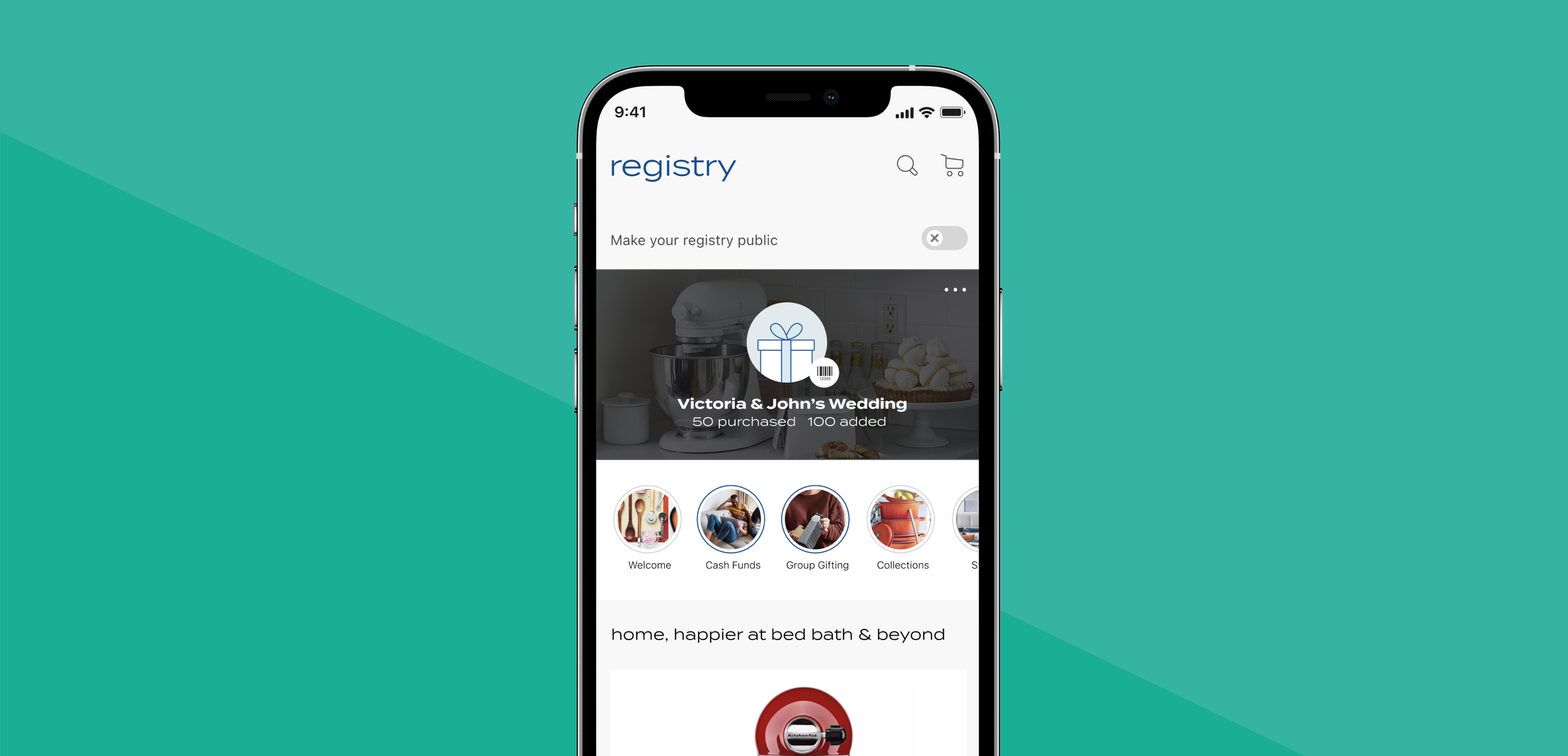
REGISTRY DASHBOARD
Makes discovering new features, products and managing your registry easy.
I was the Design lead for app, web desktop/ tablet/ mobile experience. I came up with the vision and strategy and worked closely with my PM.
My role
Design Lead
Design Strategy
Competitive Audit
User Research
Design Handoff
Team
Product Manager
Junior Designers
Engineer
BA
QA
Device
App iOS
Web
Duration
4 weeks
Problem
The current app and web dashboard (not shown) strategy, vision and visual design is outdated and there is not a cohesive vision from app and web.
Throughout the registrants journey, the content on the dashboard does not update or become personalized based on the wants and needs of the registrants.
Average User
Note: the User age can span, but this was feedback we received from the research team
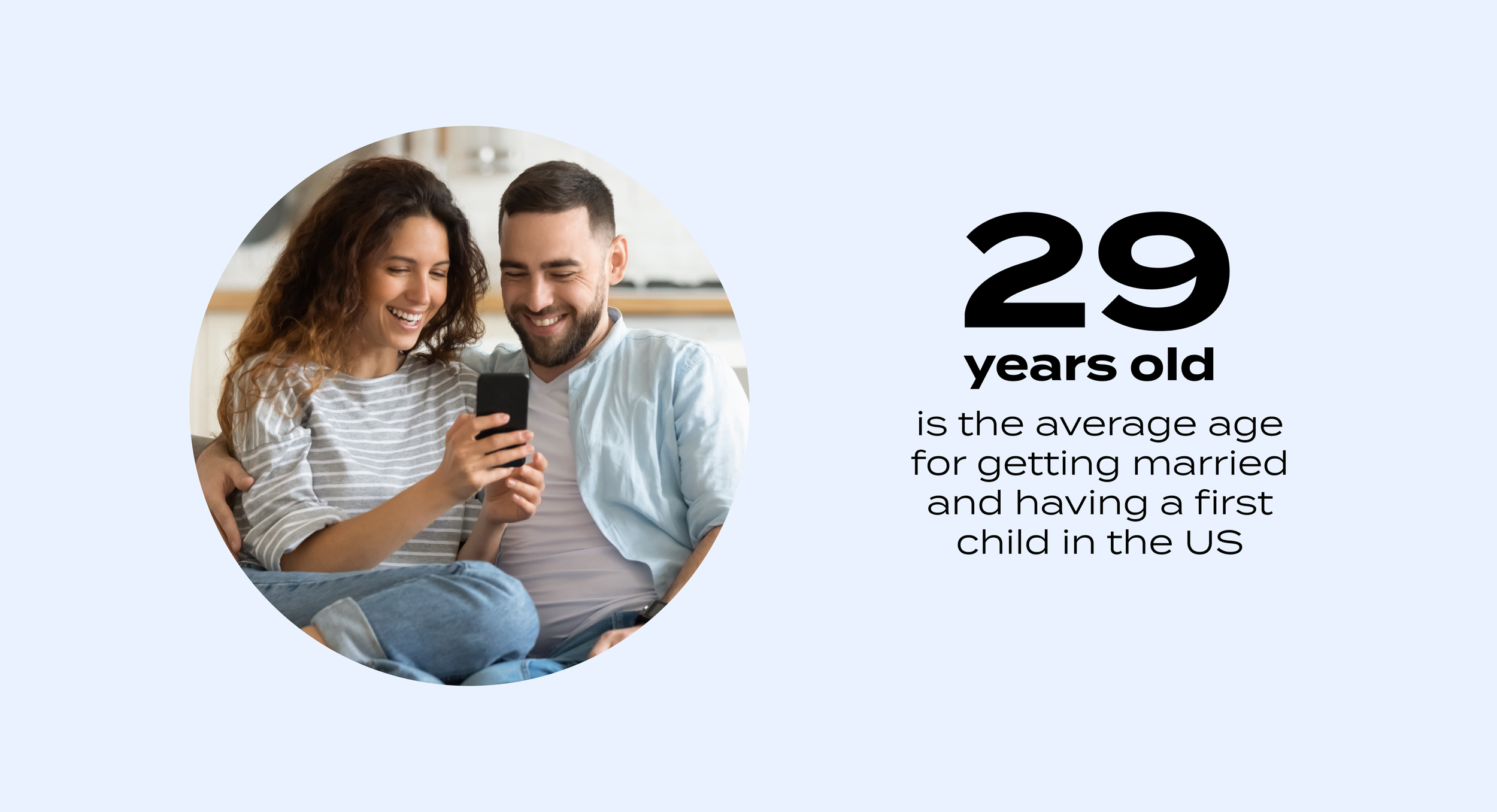
How might we…create a dashboard that is personalized and caters to the wants and needs of a 29 year old.
Research
We worked with a research team, and they conducted 9 ethnographic user interviews of 3 people recently married, 3 planning a wedding, 3 people with Cultural/ religious needs.
The research was to understand the general registrants motivations, behaviors, and needs. There was a lot of information I thought was interesting and related to the dashboard user needs, since that is the first page users will land when they create a registry.
Wedding Registrant Motivations
-pressure to create a once-in-a-lifetime event
- desire for it to be special and personal
- driven by a pre-conceived vision of their
- wedding (e.g. existing Pinterest board)
The Wedding Registrant Needs
- balance functional and aspirational products /experiences
- match their registry to their life goals (e.g. dream home, vacation)
- parse through advice from their network while maintaining their own identity
- review and refine their choices to reflect current trends and styles
Behaviors
- begin planning and archiving ideas long before the wedding (e.g. dream wedding Pinterest board)
- most active on Pinterest, Instagram, and TikTok for visual inspiration and information sharing
- accustomed to fast, engaging experiences for all aspects of life (e.g. ordering takeout, purchasing a car); the bar for experiences is high
Research Themes
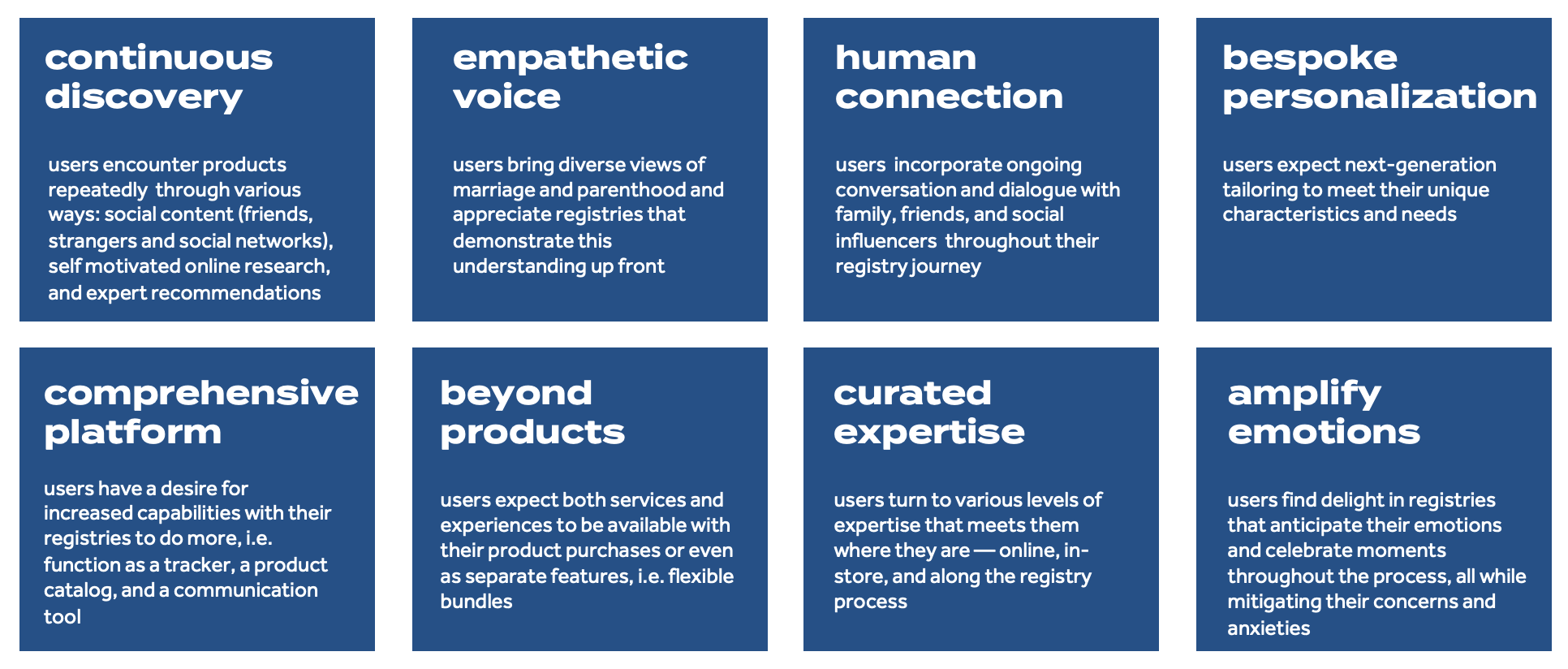
Overall, these were the themes below in the blue cards that came from the research. I looked at these themes as I was designing and how the research could tie into the work. Some cards to highlight.
Continuous discovery: wedding registrants desire more of the “wow” factor generated by serendipitous discovery both online and in-store
Empathetic voice: registrants deem advice from people with similar backgrounds to be more trustworthy, might it be friends, influencers, or total strangers online
Bespoke personalization: registrants find it challenging to make decisions when the recommendation is too general
Amplify emotions: registrants experience delight when registries amplify the celebration of their life milestones
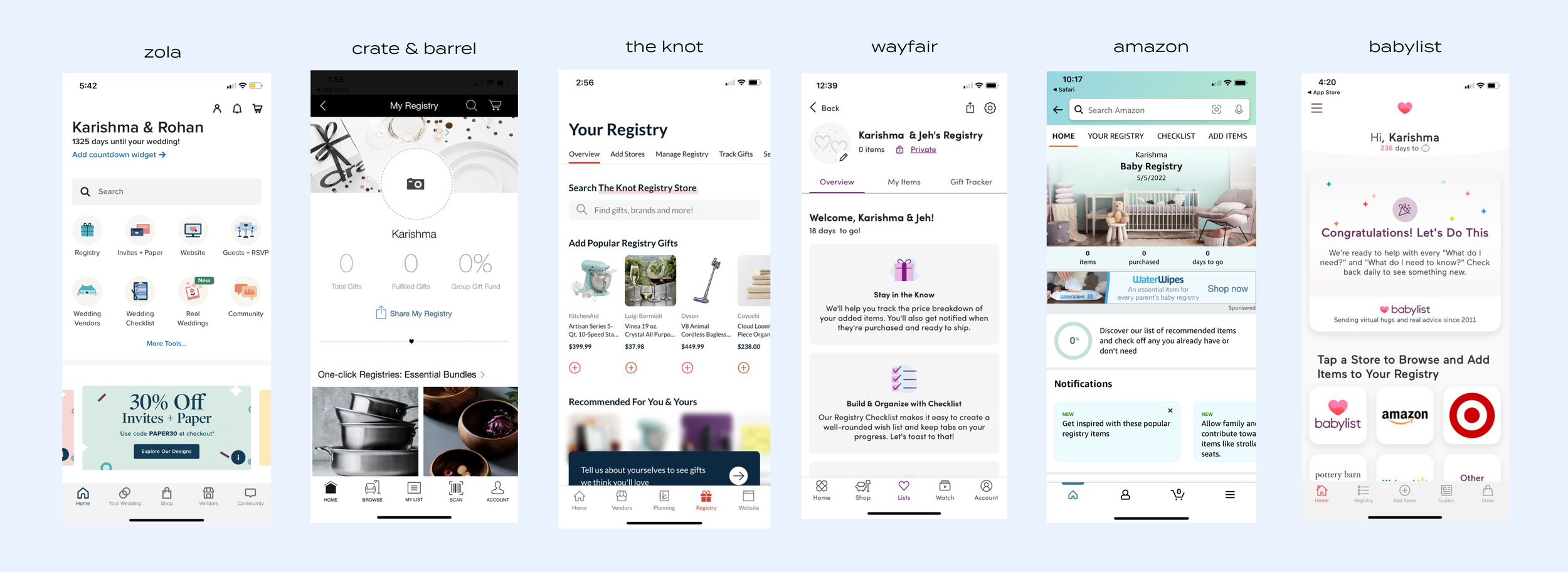
Discovery Competitive
After unraveling the customer/ business problems and research, I did a deep dive of what is happening in the competitive space to understand strategy. I will break down what I was seeing in the below companies
Zola has clean dashboard with easy access to their key tools at the top of the page, promotion of new features, new arrivals, vendors, paper, qa and expert advice. It is a nice mix of everything the registrant will need
Create & Barrel also very clean but is more focused on status, having the registrant explore one click registries, ideas, real registries, inspo and perks.
The Knot is a mix of product recs (personalized and generic), category component, brands, collections, cash fund, sync registry
WayFair is a mix status, checklist activity, next steps, most added gifts, brand, expert advice etc
Amazon is a mix of status, recommendations, notifications, popular categories, completion discount, popular products, rooms that inspire, box benefits, help and more
Baby List is a mix of status, product recs, guides, social posts and articles. Long page feed.
A lot of the pages had similar elements and strategy.
Strategy
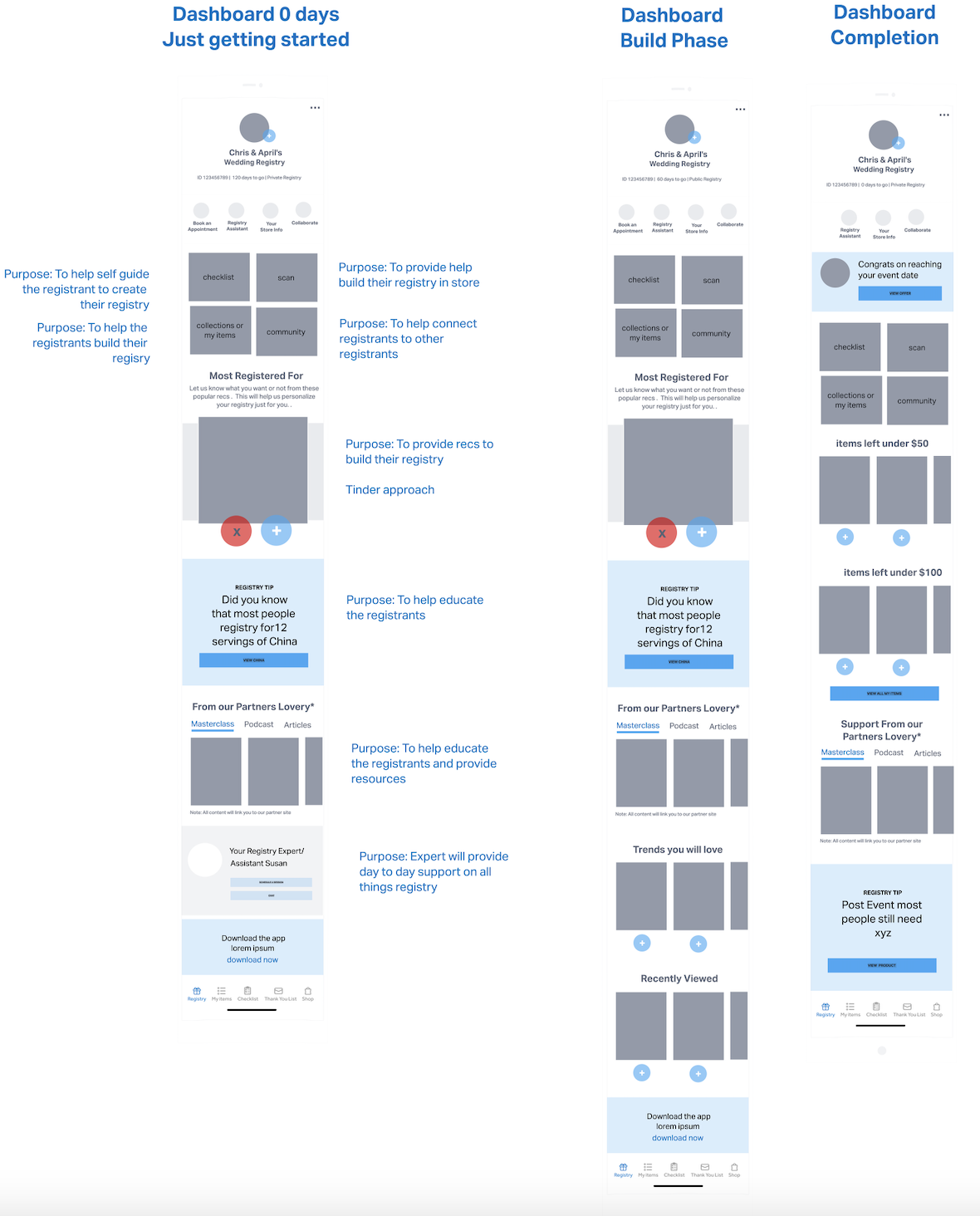
Based on the research, competitive and registrant wanting a deeply personalized experience, I came up with high level quick wires to demonstrate the vision and strategy. The registrant would get a different dashboard based on where they were in the journey. As they engaged, it would get a deeply personalized dashboard and tie back to the life stage they were at.
I aligned with my PM on my vision, and then we walked the developers, engineers, ba, qa and stakeholders to get further alignment. I wanted to understand if we can build these 3 states of the dashboard and if we can accomplish this personalized, machine learning vision.
Hi Fi Designs
After the low-fi wires, I created hi fi designs. I did many iterations that were strong and similar to competitive concepts. Stakeholders felt they were not hitting the mark and not really catering to the 29-year-olds wants and needs. I went back to the drawing board and looked at the behaviors and needs of the registrant.
“The 29-year-old is most active on Pinterest, Instagram, and TikTok for visual inspiration and information sharing". Said the interview candidate.
“ The 29-year-old is accustomed to fast, engaging experiences for all aspects of life (e.g., ordering takeout, purchasing a car).” said the interview candidate.
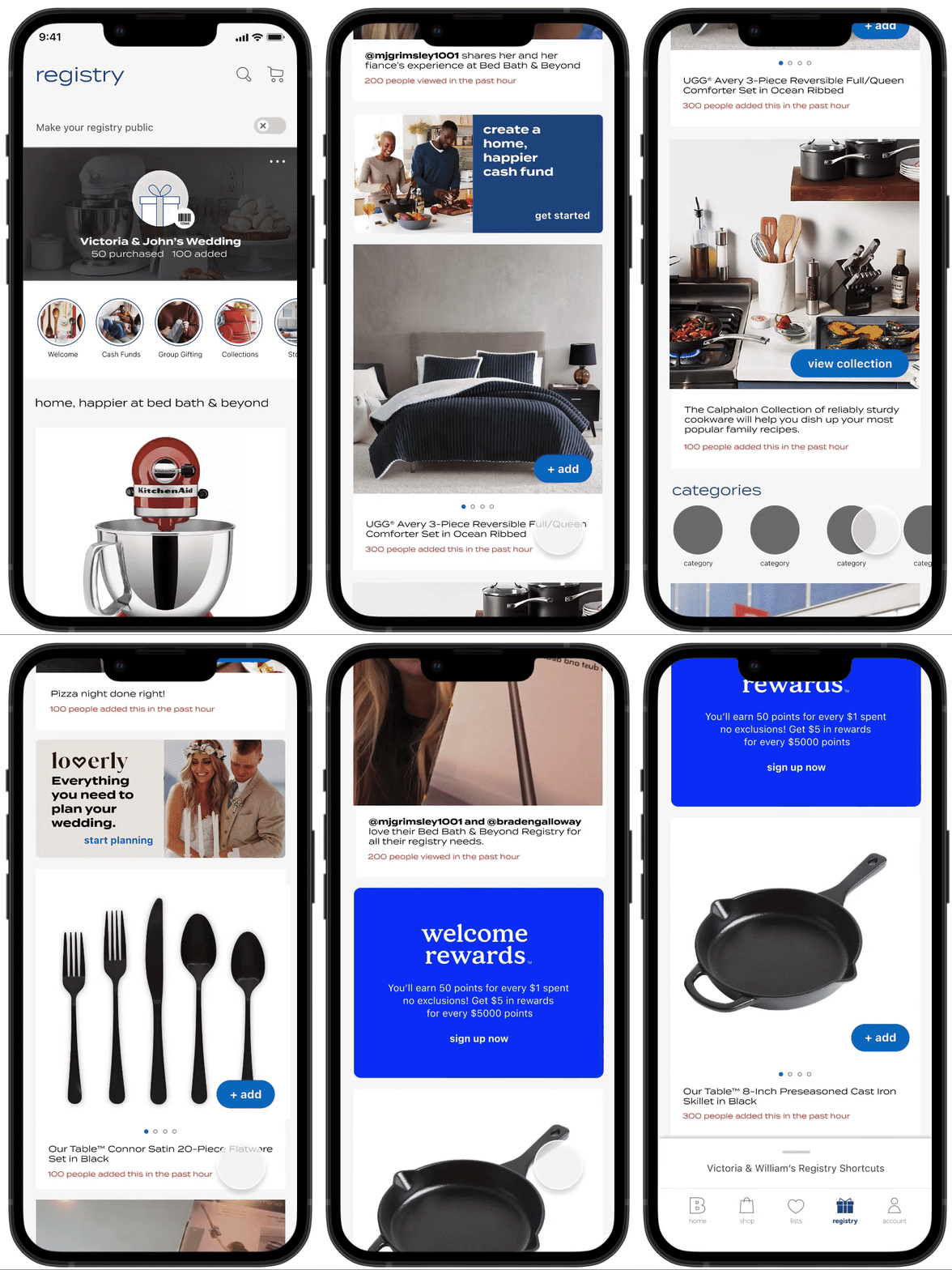
I came up with a new design that was inspired from social experiences that deliver new content frequently and has more surprise and delight than a static dashboard.
New Dashboard
Provides an easy ability to…
1. Know the status of your registry. Gift purchased Gifts added
2. Share and manage from the … actions menu
3 Make your registry public and easily add info not collected up front in the create flow
4. Discover stories that promote new features, influencer videos and more
5. View new products in the feed to help registrants get started and build their registry. Discover new products daily. Once a registrant Interacts with the feed there will be personalized product recs based on your interest.
On each product it is noted how many people added to demonstrate this a socially vetted items. This helps the registrant be more confident in their decisions.
6. View popular categories and other promotions such as cash funds, welcome rewards and Lovery.
7. Quick access to the shortcuts drawer
Make your registry public
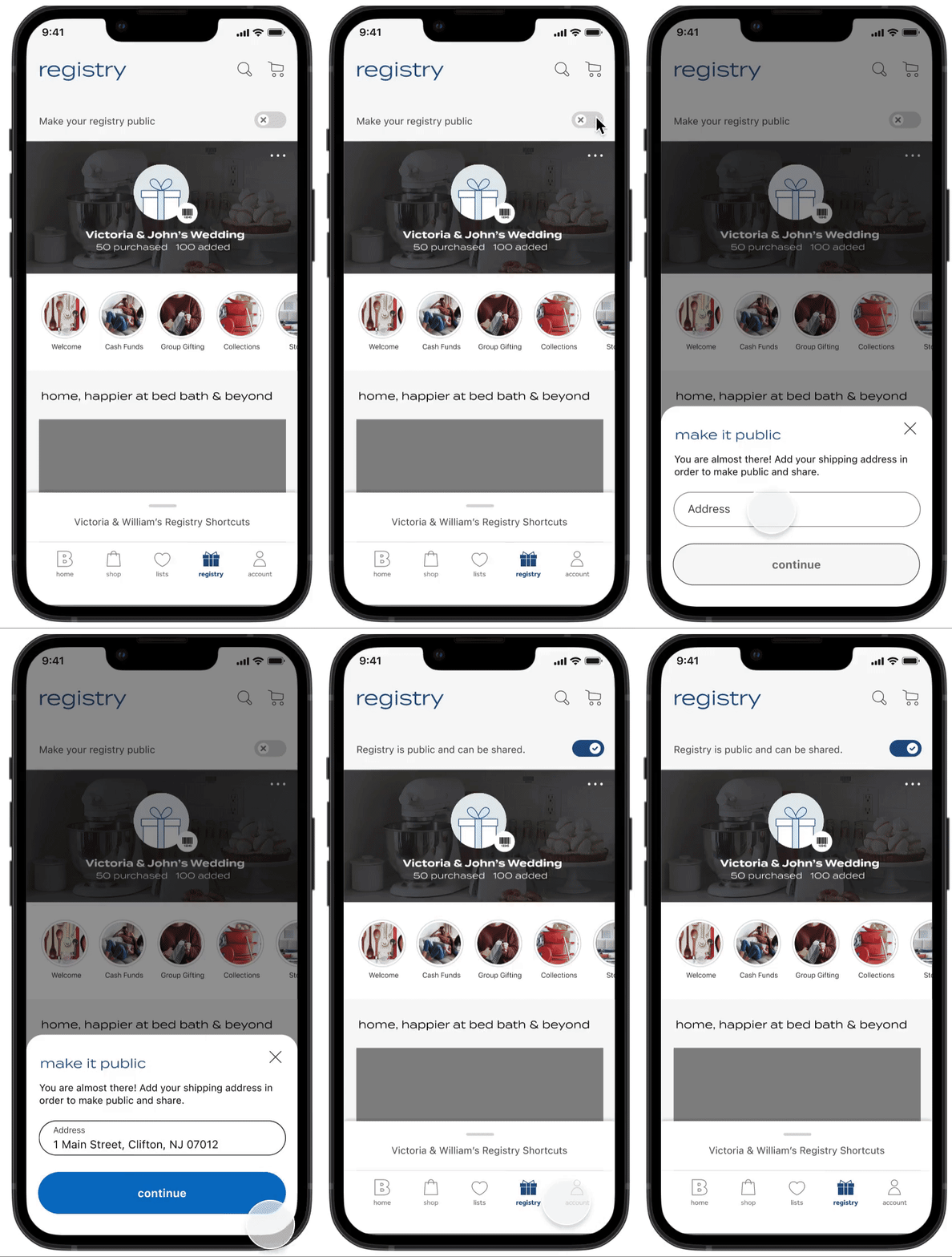
Easy ability to make registry public from dashboard, gather shipping address, so user does not have to go to the action's menu. This was a simplified approach to progressive profiling
If you already provided shipping address you will be able to toggle on to public and not add shipping address.
Dashboard - Stories
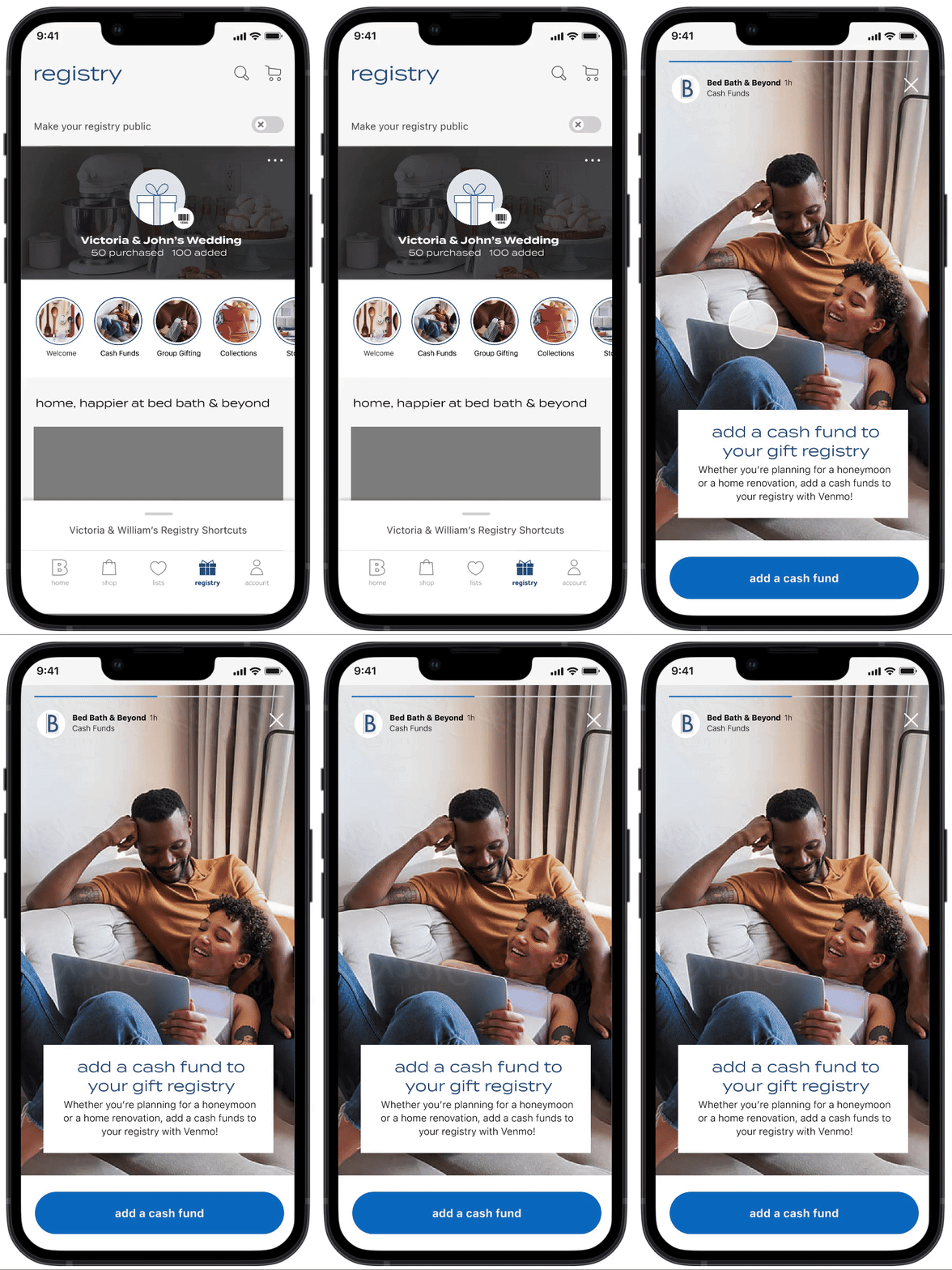
Added stories to the dashboard to give the registrant the ability to discover new content ( features, influencer videos and more) in a fun and engaging way.
The stories should change frequently and add fressness to the page.
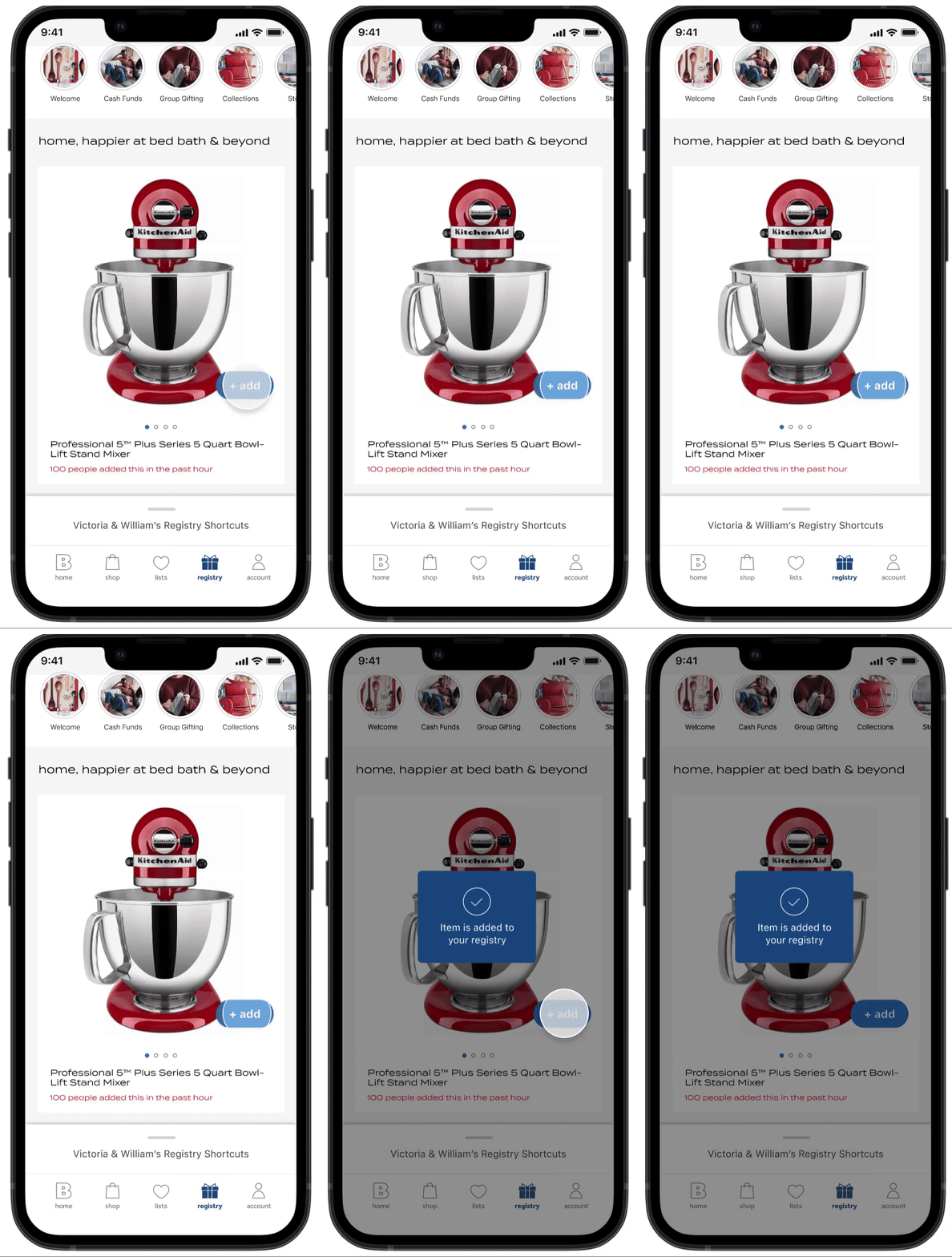
Quick adds from dashboard
Easy ability to add products from the dashboard
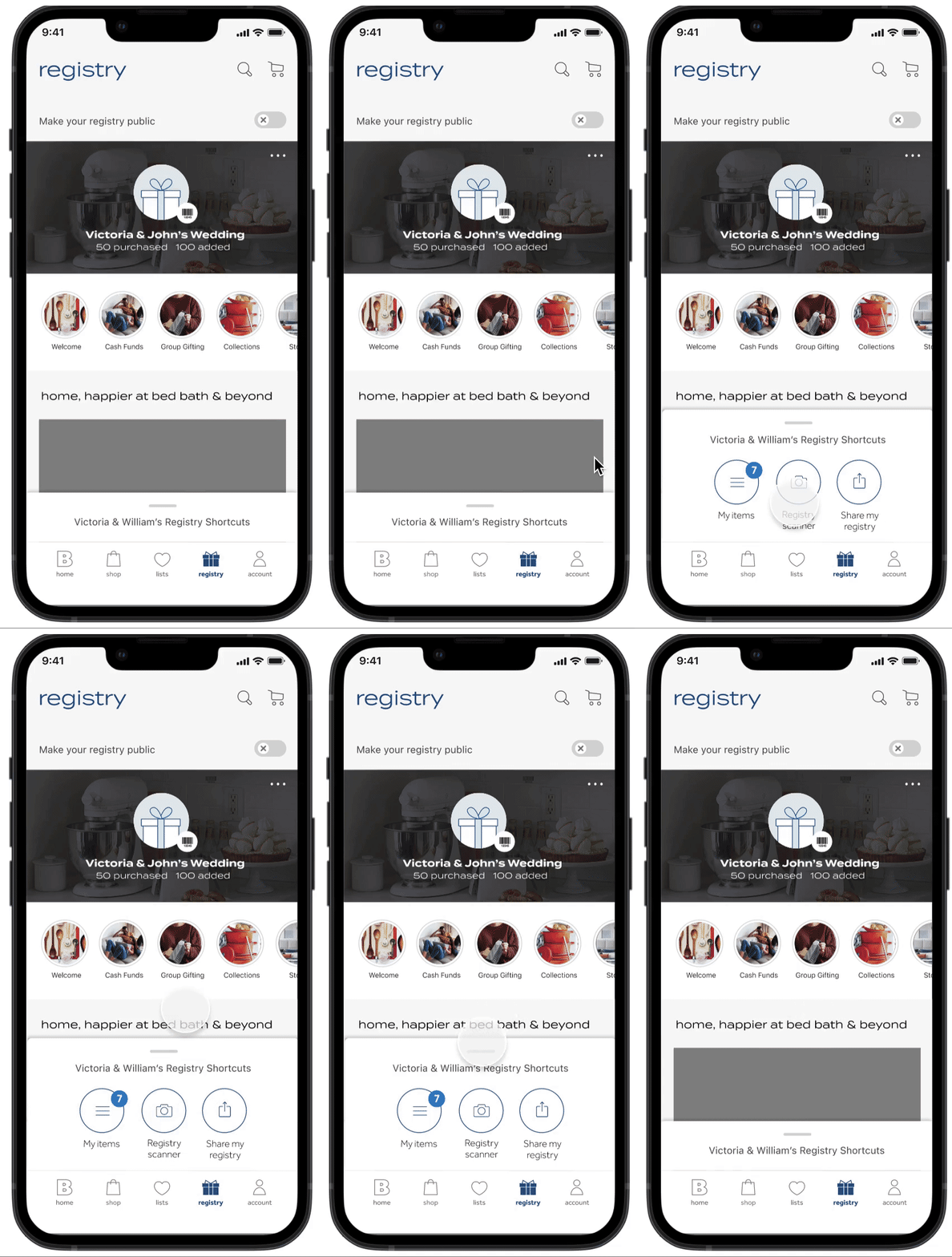
Shortcuts drawer
Quick access to view other registry pages and tools
Outcome
Unfortunately this feature got halted mid development. Upper management decided to go another direction.
The goal would have been
Increase in overall registry engagement
Increase in registry adds
increase in customer satisfaction NPS score